Move Projects and Builds
BuildNinja enables you to move projects and build configurations within its environment, allowing you to reorganize your CI/CD workflows or migrate configurations between projects without losing settings or build history.
Move Project
-
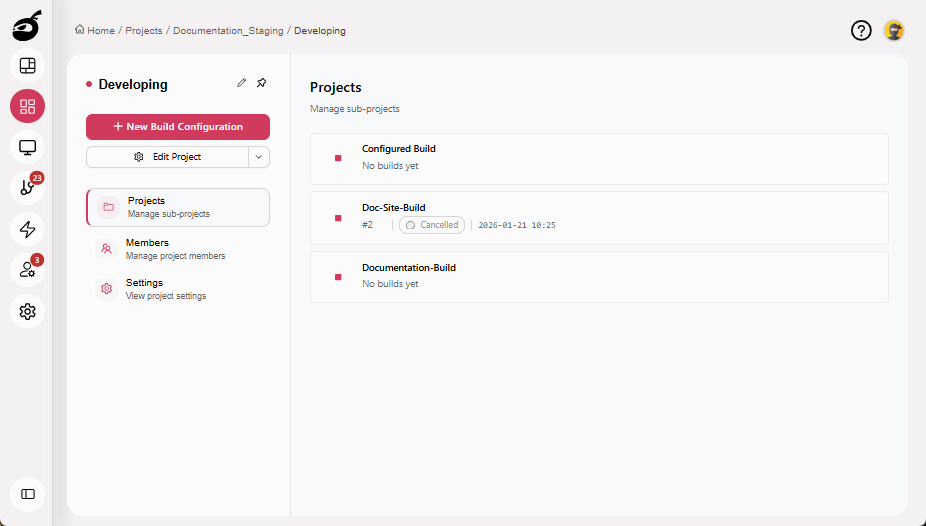
Navigate to Projects
 to access the project management interface and select the project you want to move.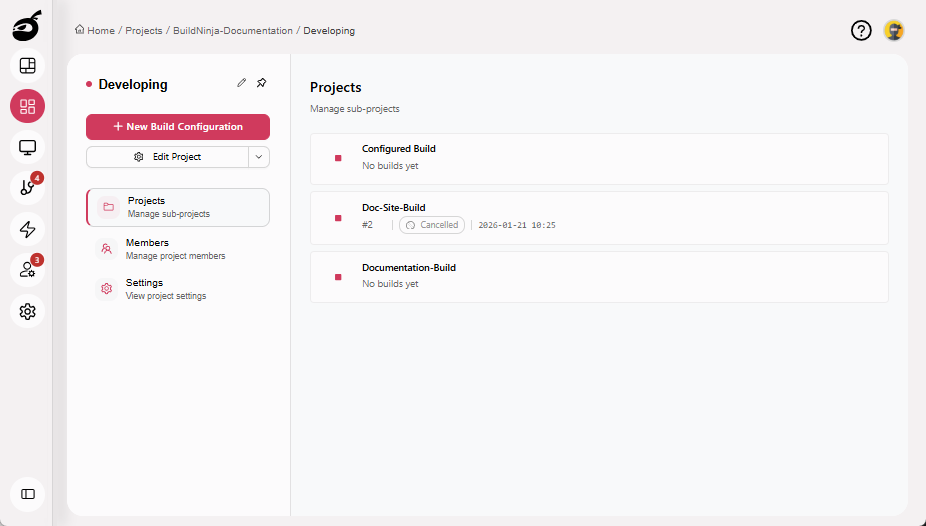
-
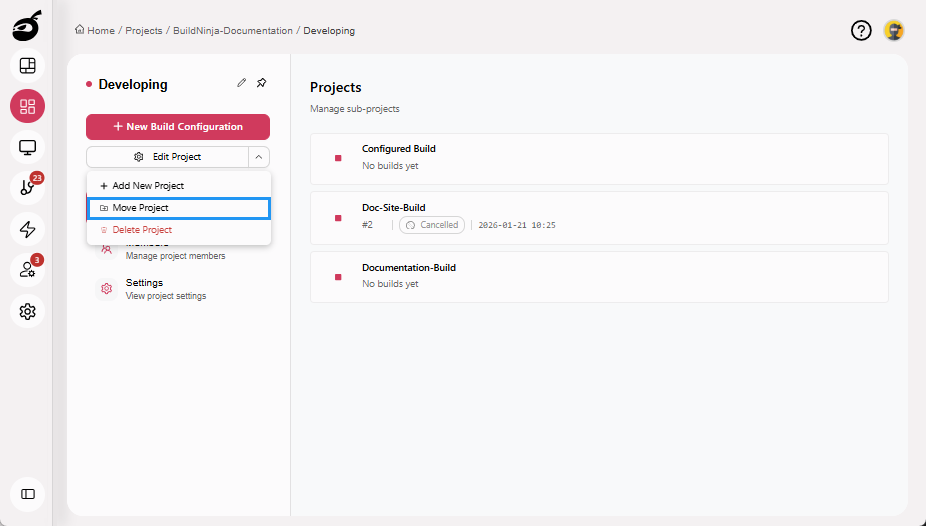
Click More Options dropdown and choose Move Project.
-
BuildNinja will prompt you to choose the target project where you want to move the project. Select the target project and click Move to move the project.
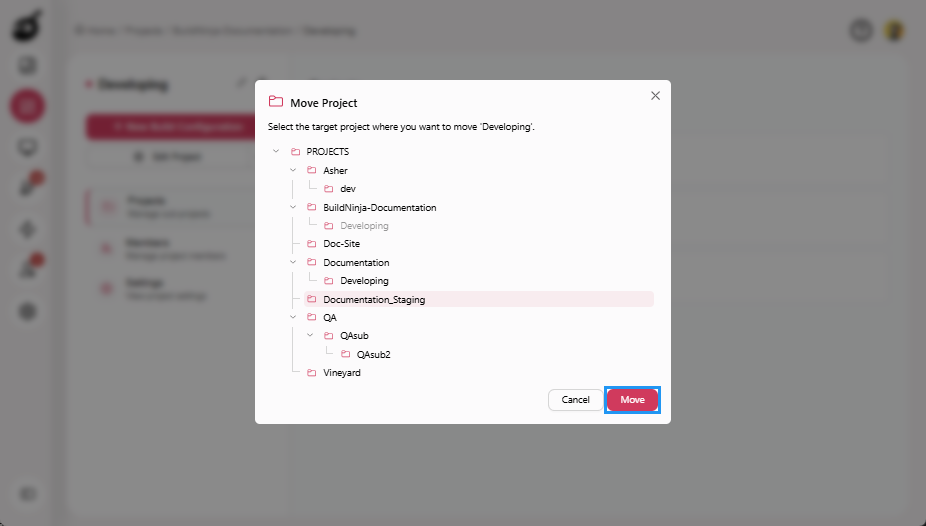
BuildNinja will relocate the project to the selected target project.
Move Build
-
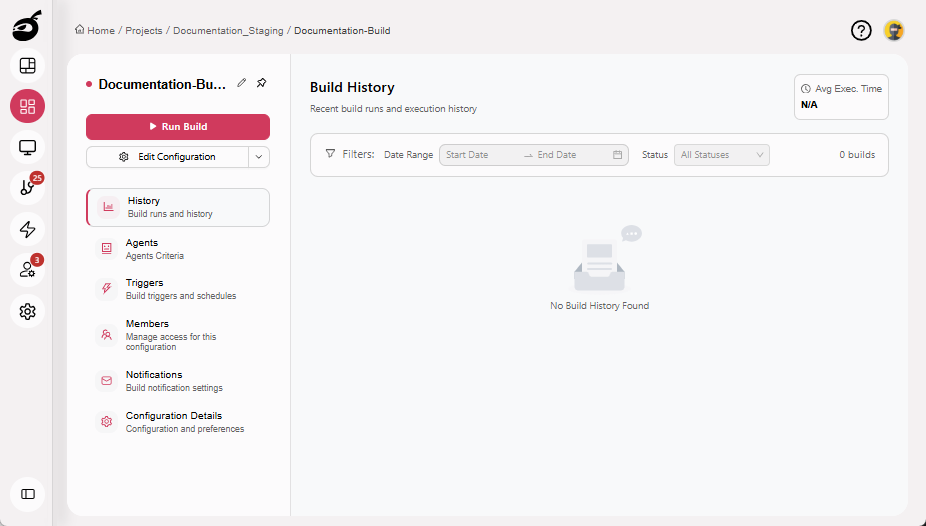
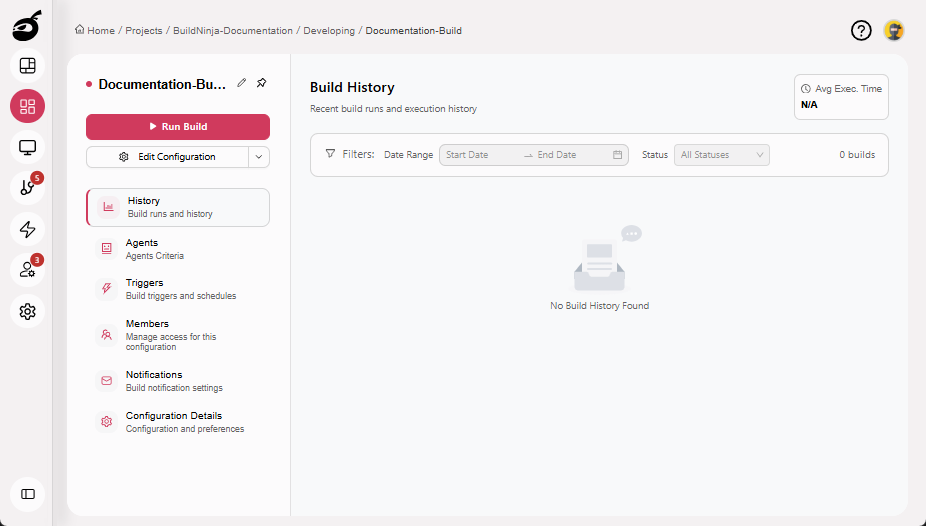
Navigate to the build configuration you want to move.
-
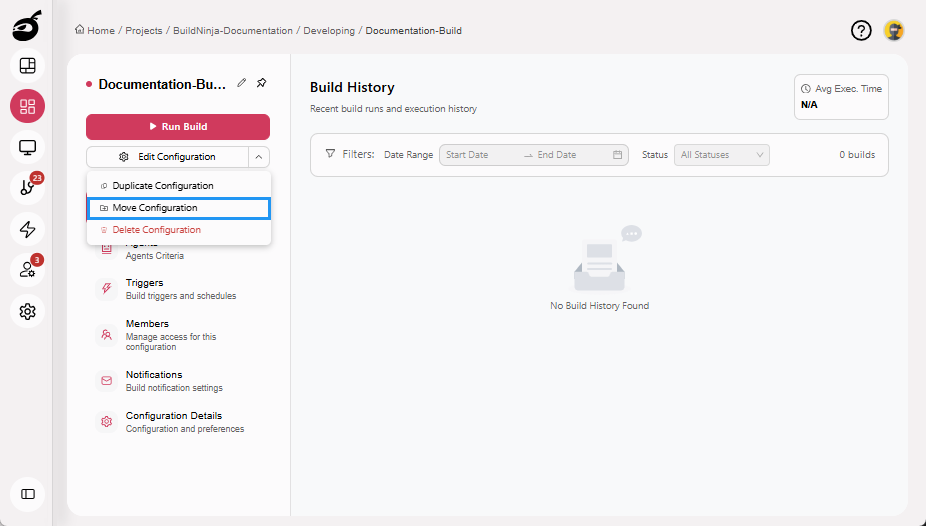
Click More Options dropdown and choose Move Configuration.
-
BuildNinja will prompt you to choose the target project where you want to move the build configuration. Select the target project and click Move to move the build configuration.
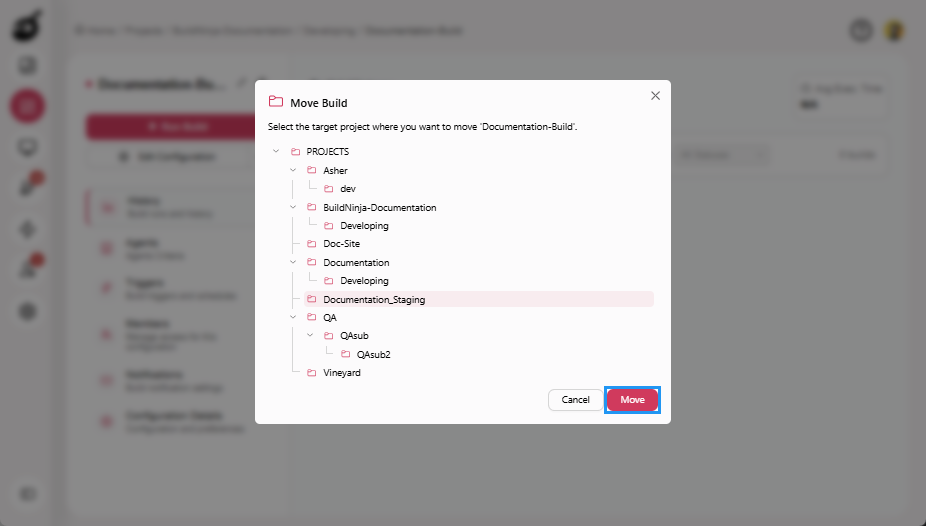
BuildNinja will relocate the build configuration to the selected target project.