Create Projects
A project is a logical unit that includes your build configurations and deployment settings. Projects are the foundation for automating workflows and managing integrations throughout the development lifecycle.
Create a Project
-
Navigate to Projects
 to access the project management interface.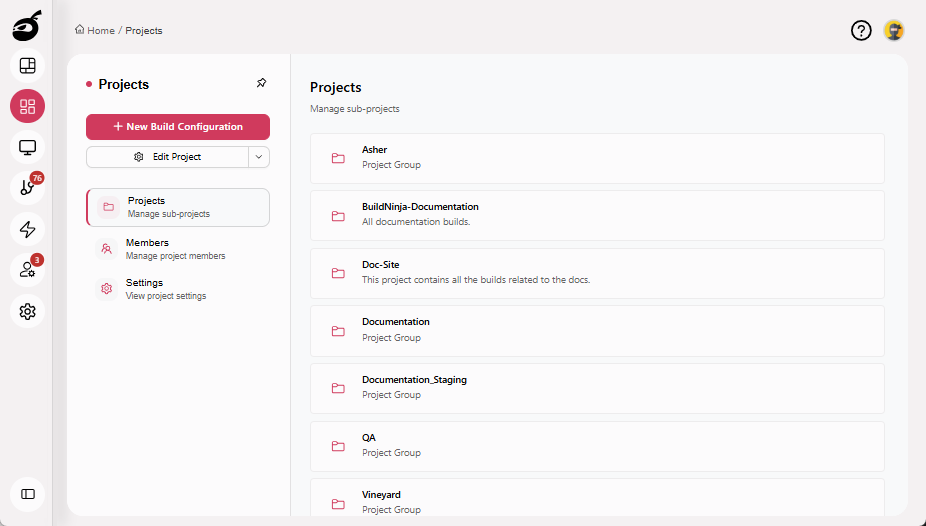
-
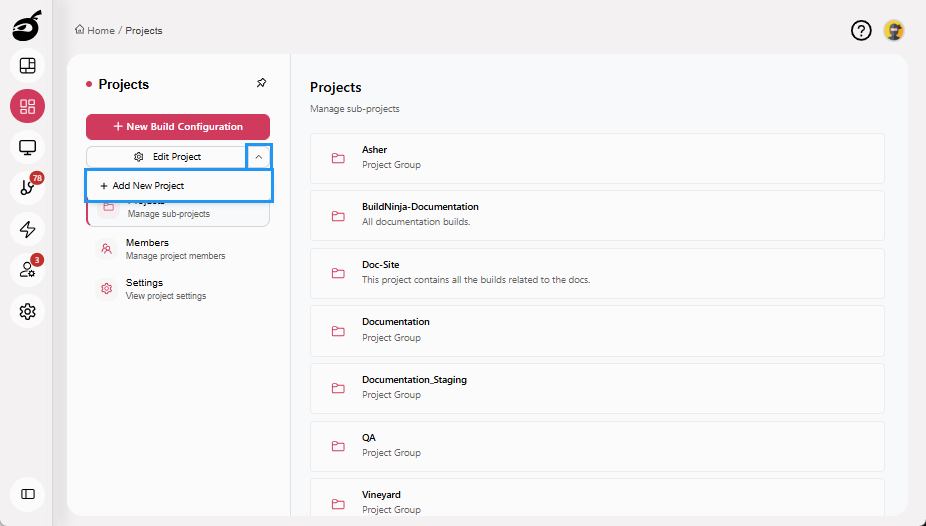
Click the More Options dropdown, then click Add New Project.
-
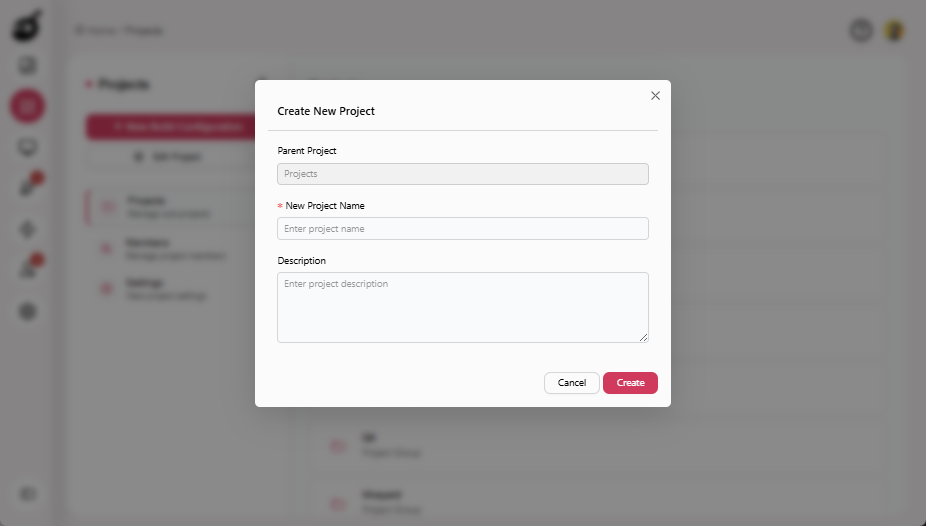
Enter the New Project Name and an optional Description.
-
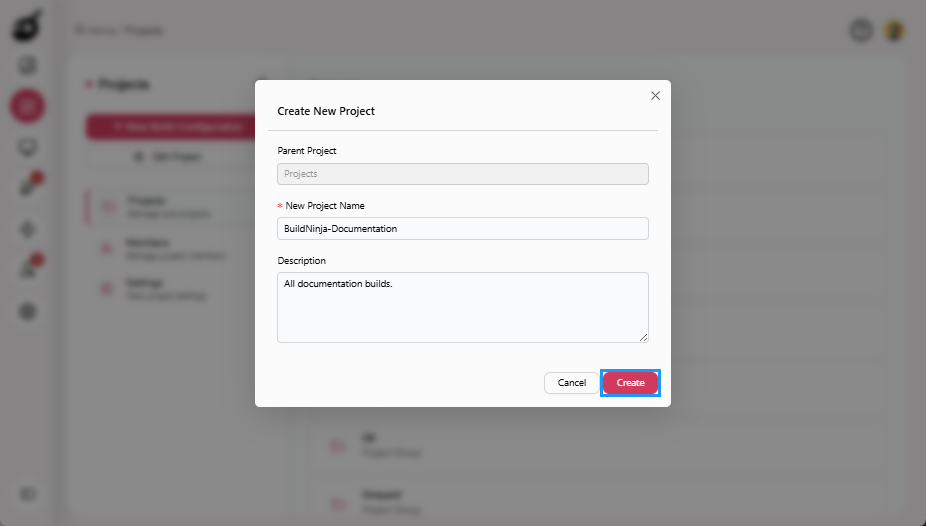
Click Create to add the project.
Create a Subproject
You can add a subproject to an existing project to better organize related builds, services, or modules.
-
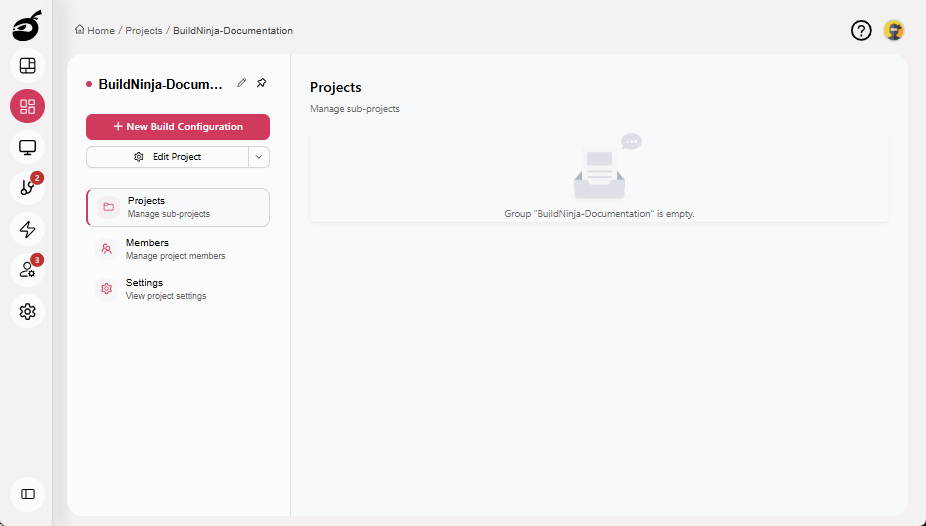
Locate and select the existing project where you want to add a subproject.
-
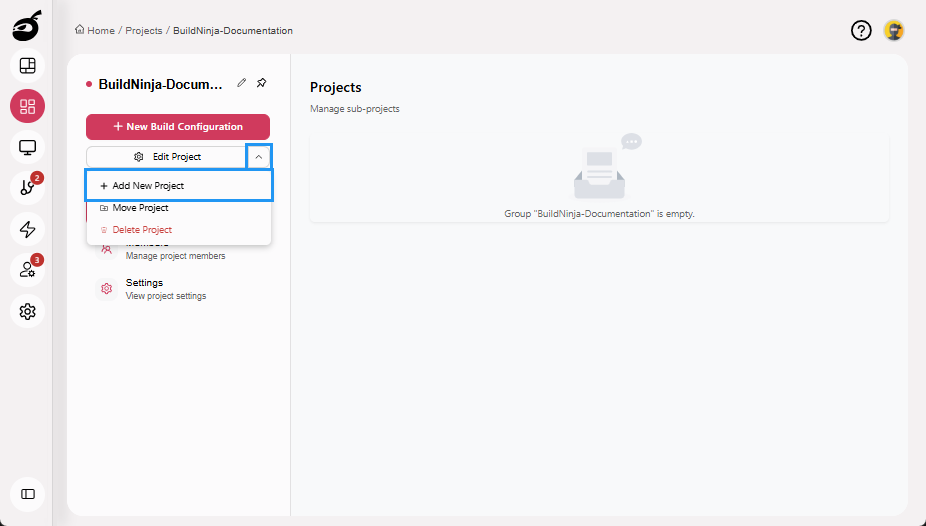
Click the More Options dropdown, then click Add New Project.
-
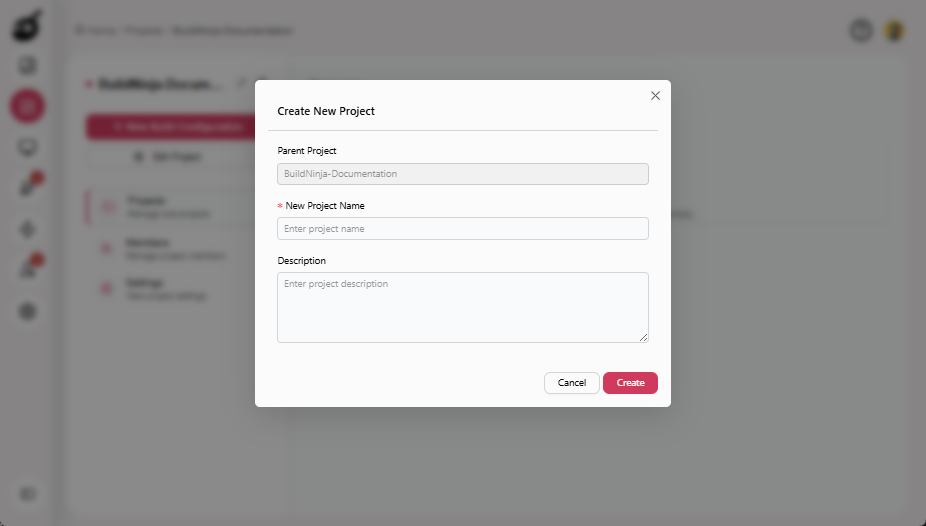
Enter the New Project Name and an optional Description.
-
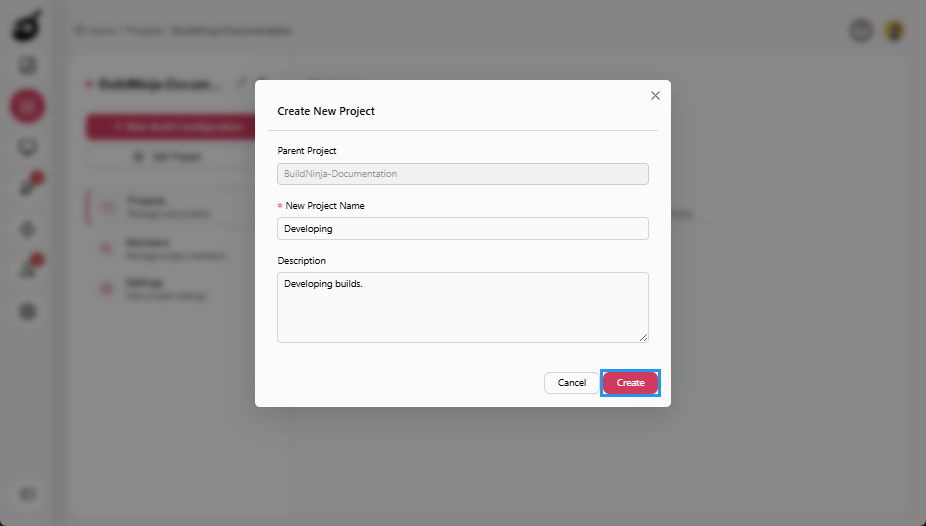
Click Create to add the subproject under the selected parent.
Subprojects can have their own subprojects and build configurations, allowing you to manage them independently within a larger project. For complex systems, you can also nest subprojects at multiple levels to organize components based on hierarchy or dependencies.