Export and Reuse Build Configurations
BuildNinja allows you to export build configuration settings as a YAML file, enabling build configurations to be reused across projects without manually recreating execution steps. In addition to exported configurations, you can define and maintain Custom YAML Configuration Files to meet specific build requirements.
Builds are executed using the Config File runner, which reads and runs the build steps exactly as defined in the YAML file. Exported and custom YAML configuration files must be stored in the Version Control System (VCS) repository associated with the project, ensuring versioned, consistent, and reproducible build configurations across environments.
For details about the YAML file format, supported runners, and configuration options, see YAML Configuration ReferenceBuildNinja allows you to use Custom YAML Configuration Files with the Config File runner, in addition to exported configurations..
Export Build Configuration
-
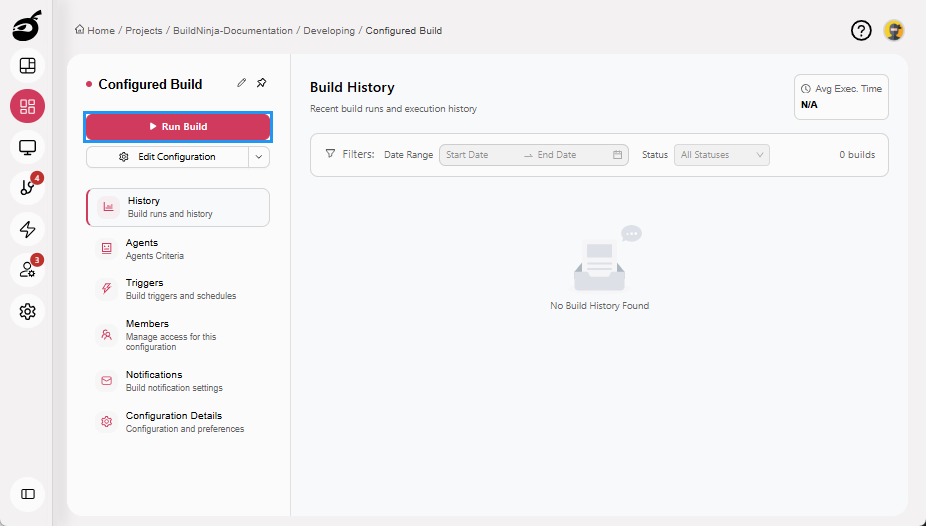
Navigate to Projects to access the project management interface and select the build configuration you want to export.
-
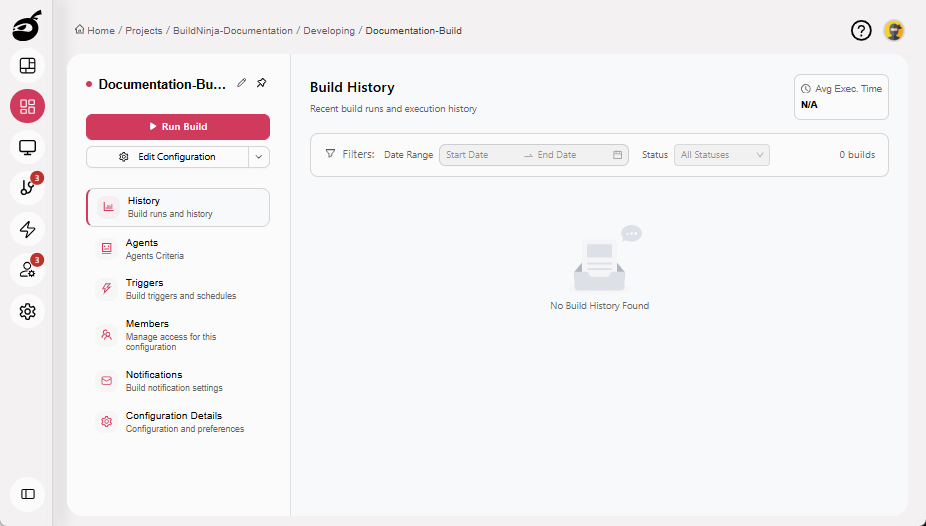
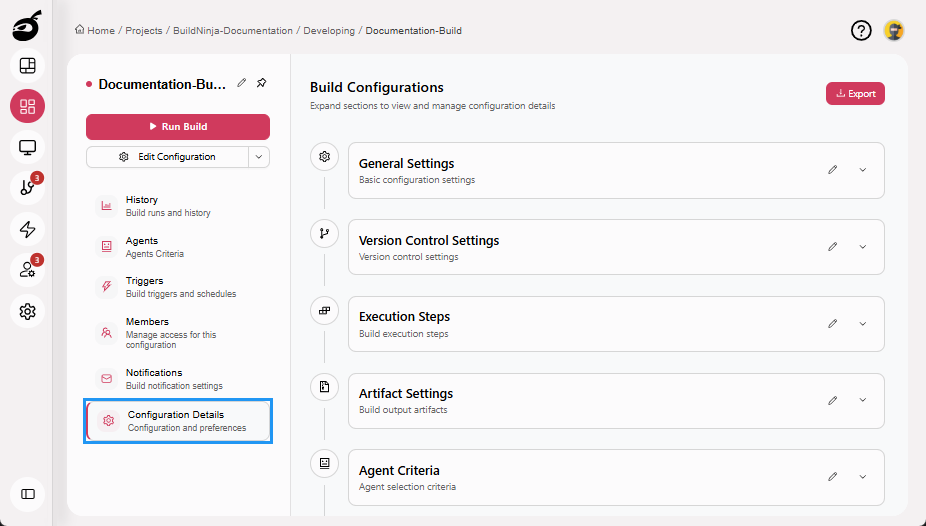
Open Configuration Details.
-
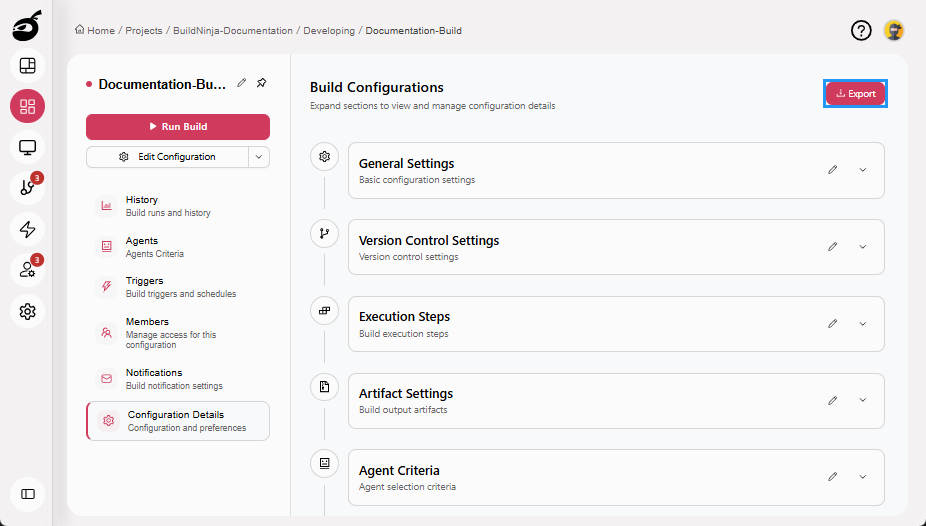
Click Export to download the configuration as a YAML file.
-
Save the exported YAML file in your VCS repository for reuse.
Run Builds Directly from YAML File
To reuse the exported YAML file in another build using Config File runner:
-
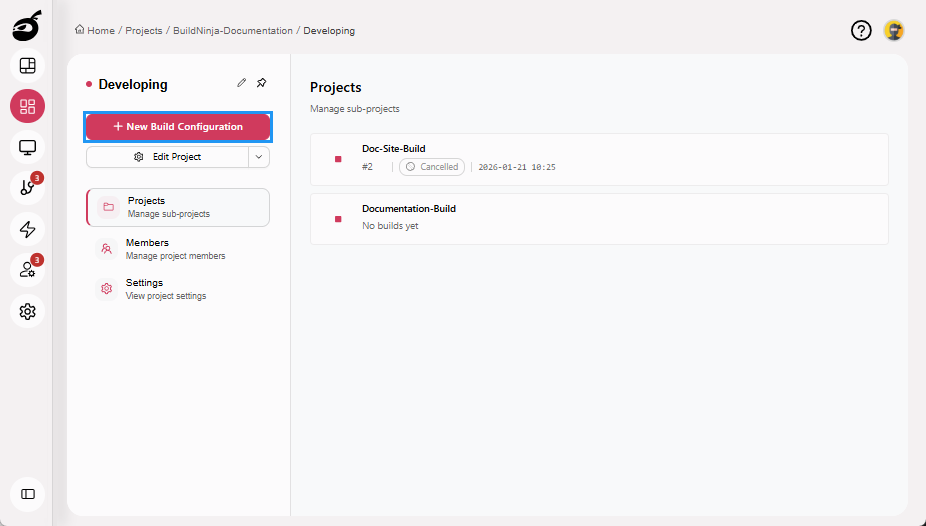
Open an existing project and click New Build Configuration.
-
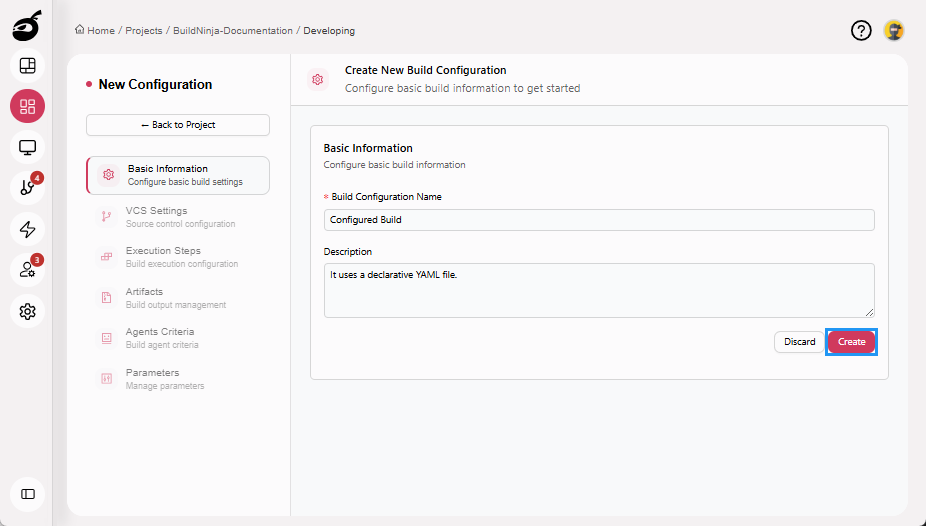
Enter basic information such as Build Configuration Name and Description, then click Create.
-
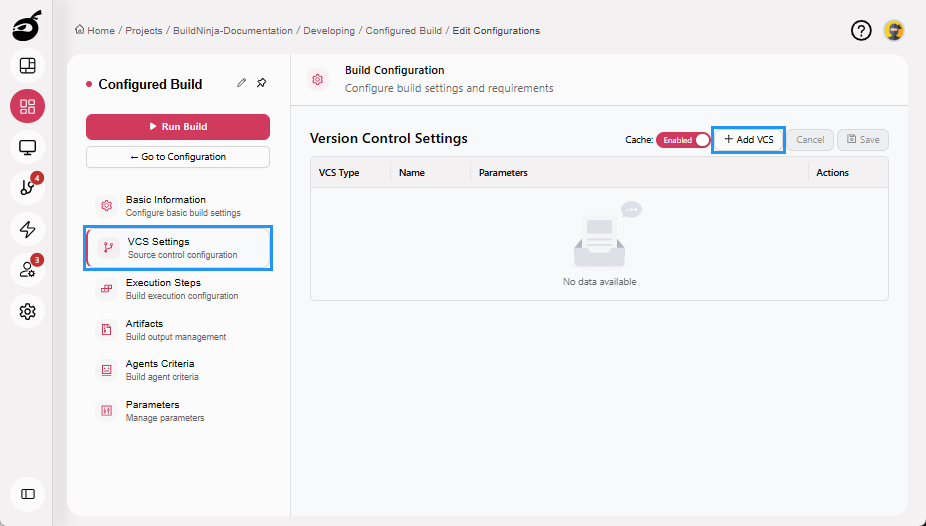
Navigate to VCS Settings and click Add VCS to connect your version control system.
-
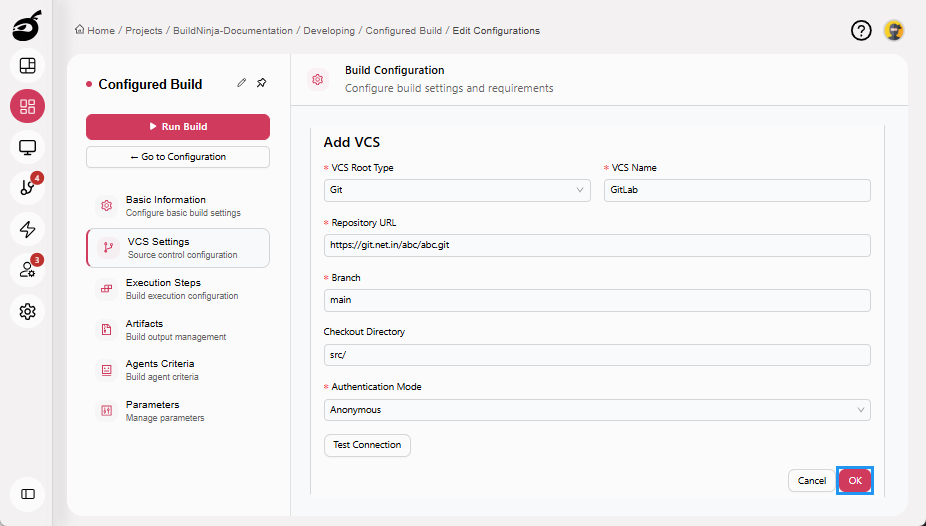
Enter all the VCS settings and click OK to add the VCS.
-
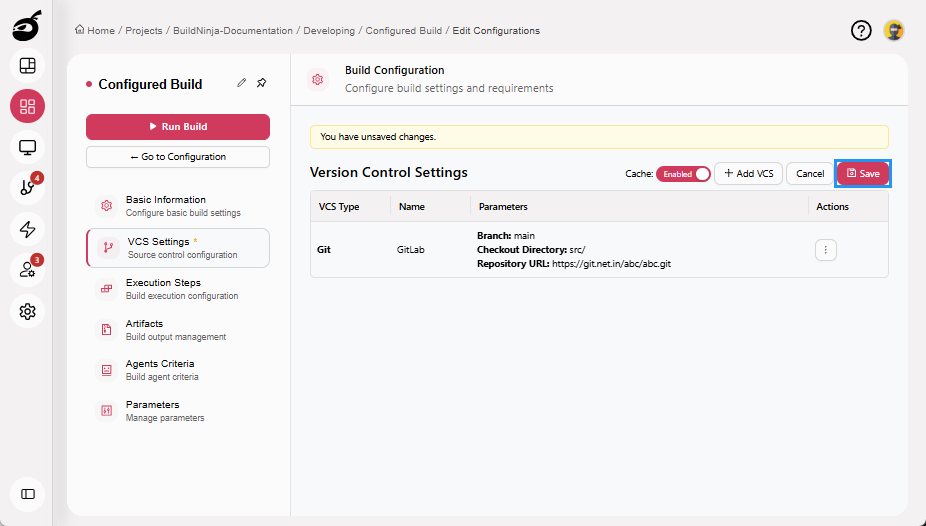
Click Save to save the VCS Settings.
-
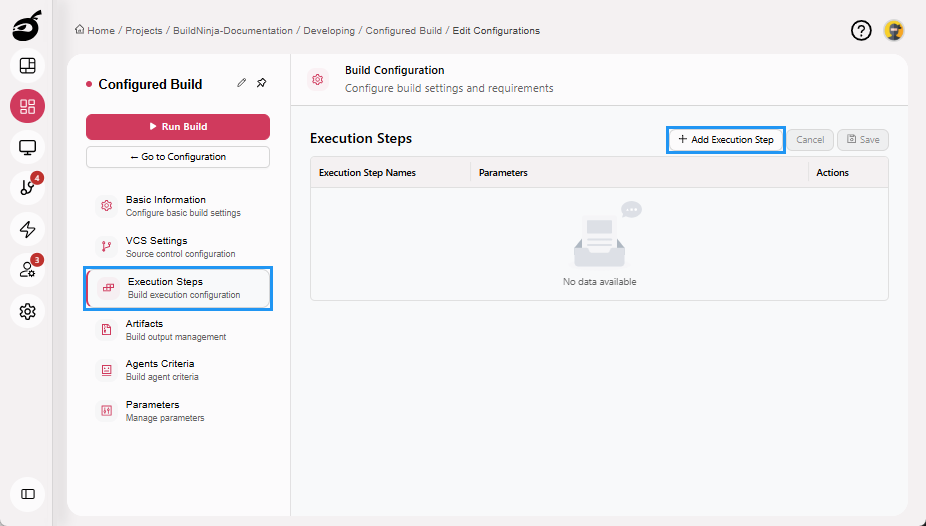
Navigate to Execution Steps and click Add Execution Step.
-
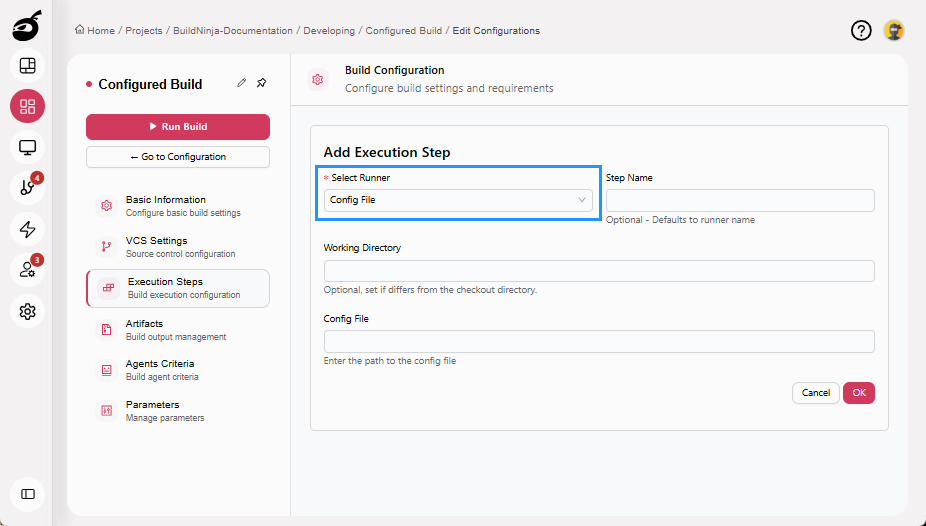
In Select Runner, choose Config File.
 note
noteFor more information on build runners and their parameters, see Build RunnersProjects and Builds help you organize your work and run builds in BuildNinja. Projects group related applications and settings, while Builds define how your code is compiled, tested, and packaged..
-
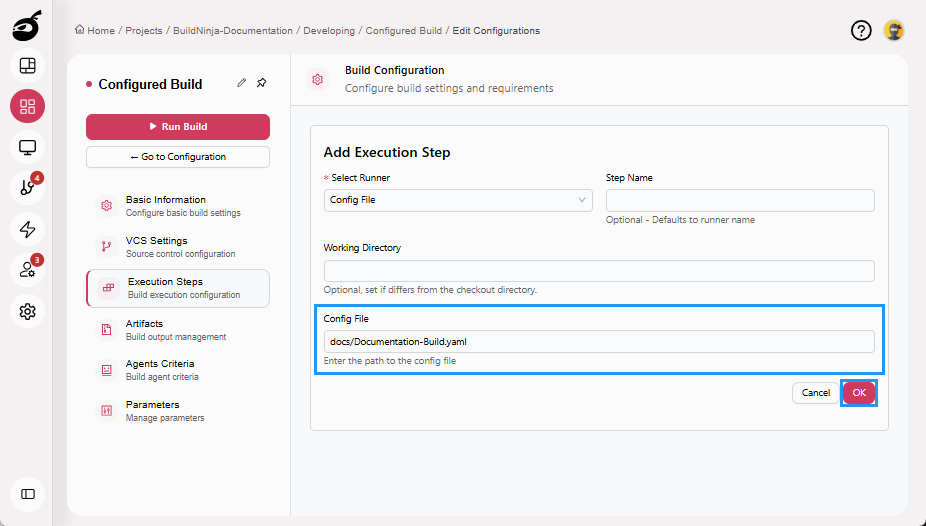
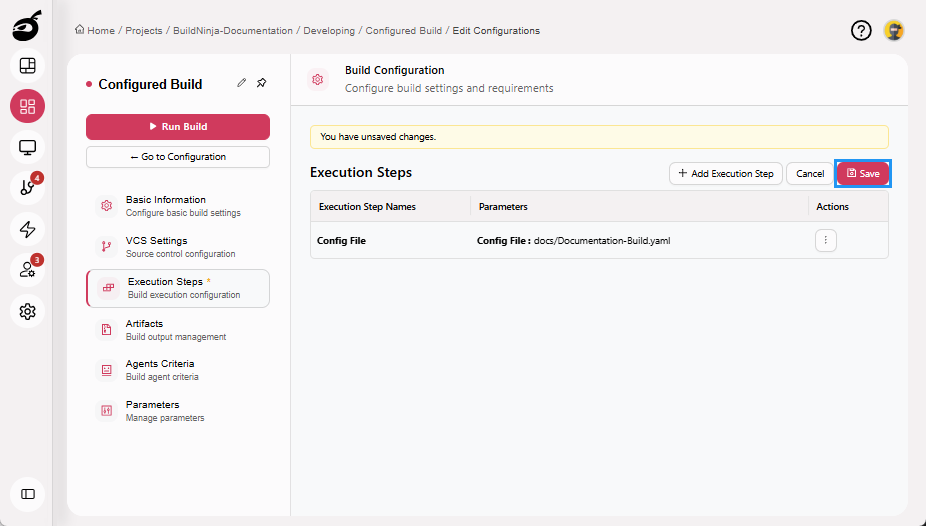
Provide the path of the YAML file present in the VCS repository in Config File, then click OK to add the execution step.
-
Click Save to save the Execution Steps.
-
Click Run Build to start. The Config File runner will execute all steps defined in the YAML file.