Disable or Enable Agent
You can temporarily disable an agent to prevent it from accepting new builds without removing it from the system.
Disable Agent
-
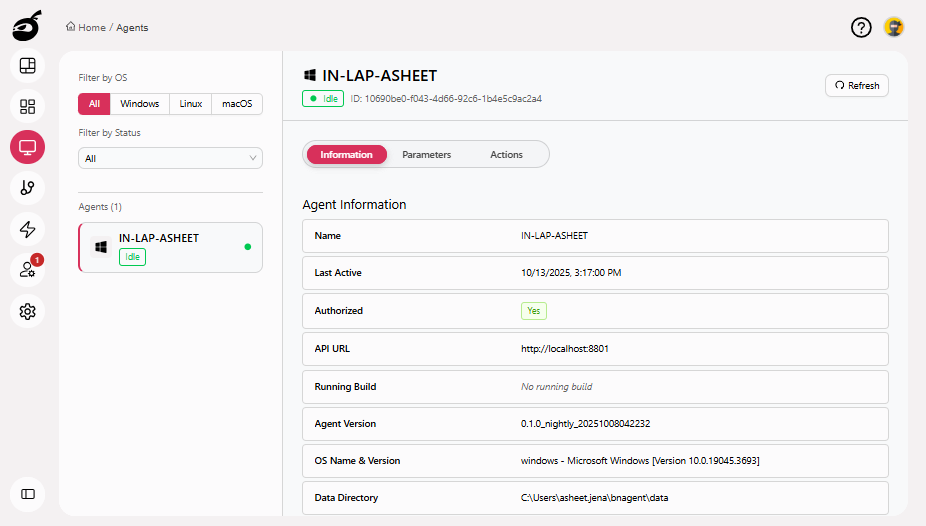
Locate the agent you want to disable.
-
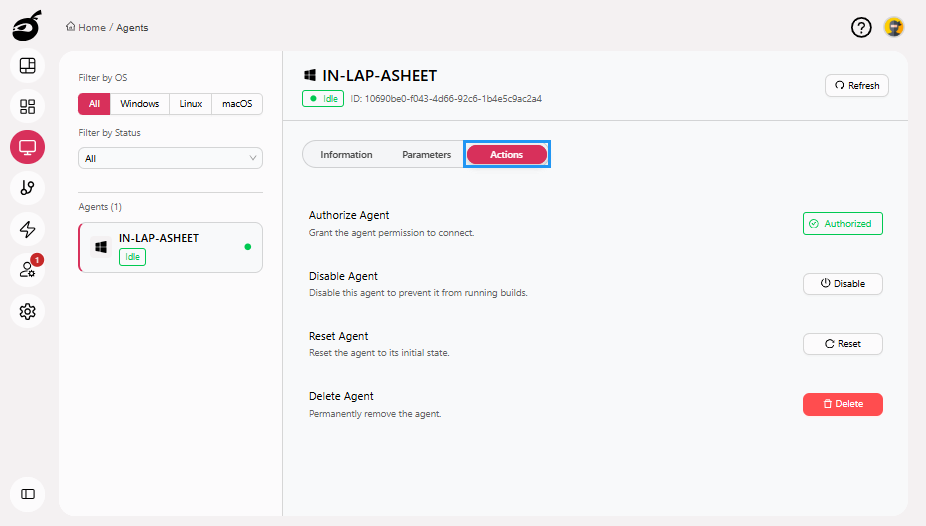
Go to Actions tab.
-
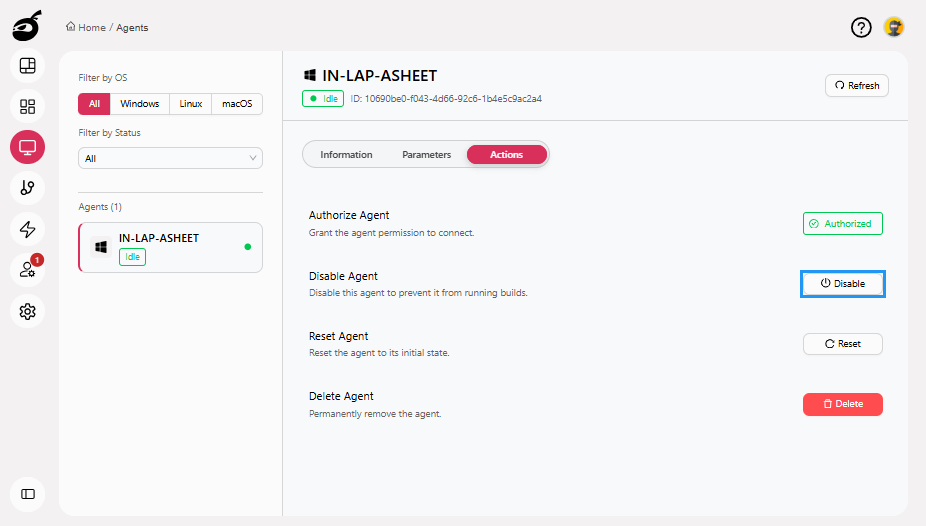
Click Disable button.
-
BuildNinja will prompt you to confirm. Click Disable to disable the agent.
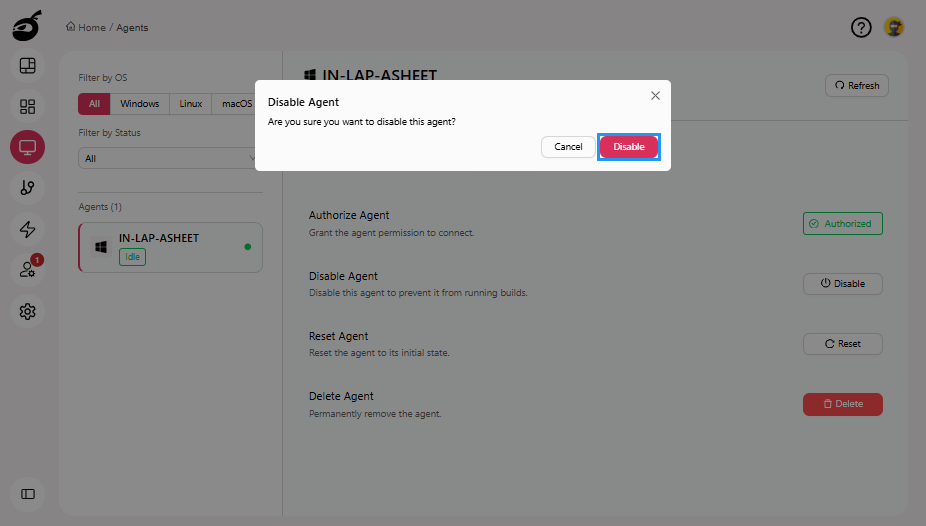
The agent will be disabled and will no longer accept new builds.
Enable Agent
-
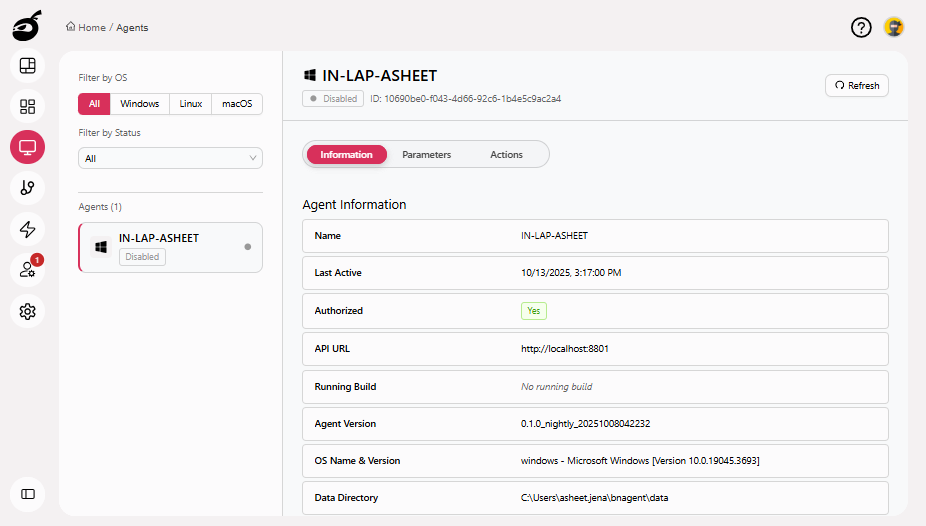
Locate the agent you want to enable.
-
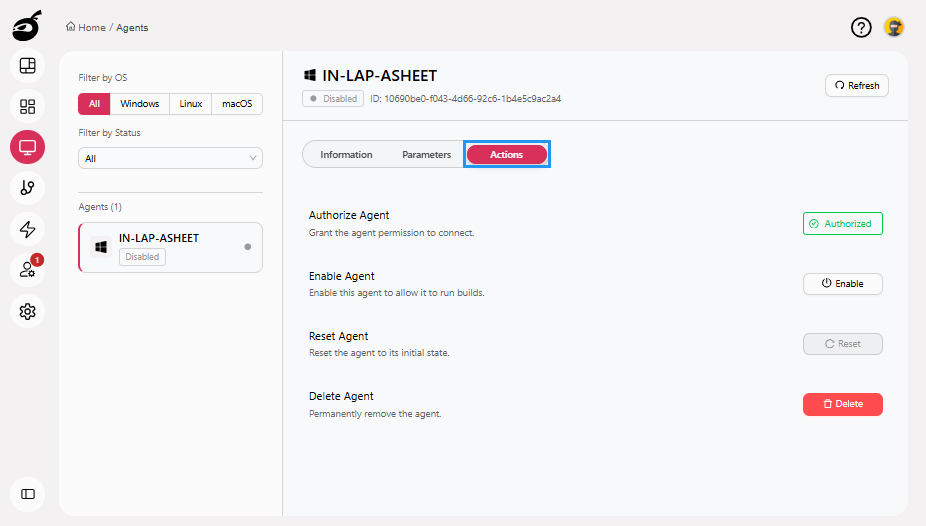
Go to Actions tab.
-
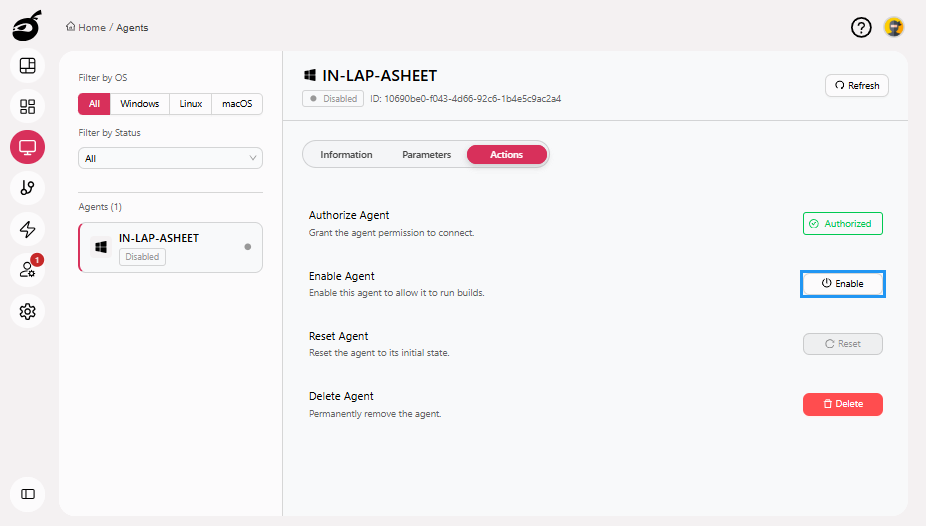
Click Enable button.
-
BuildNinja will prompt you to confirm. Click Enable to enable the agent.
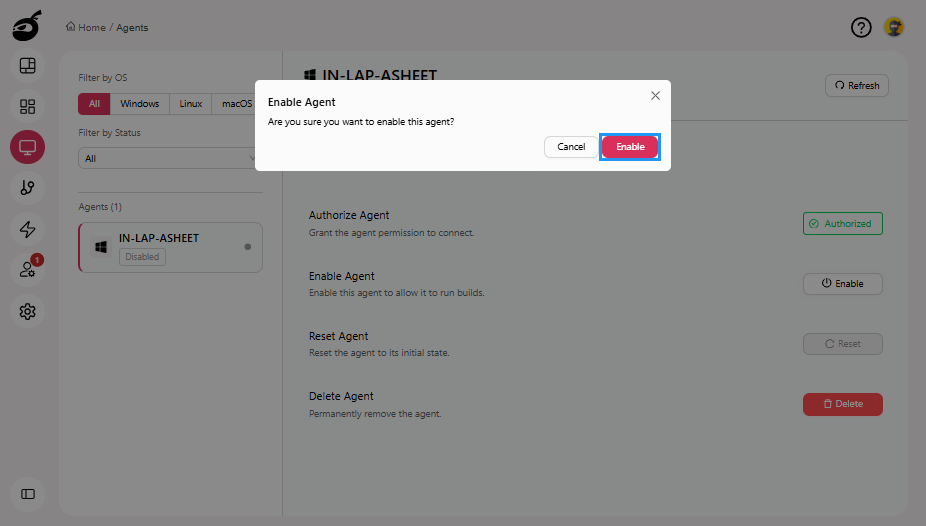
The agent will be enabled and will resume accepting new builds.