Agents
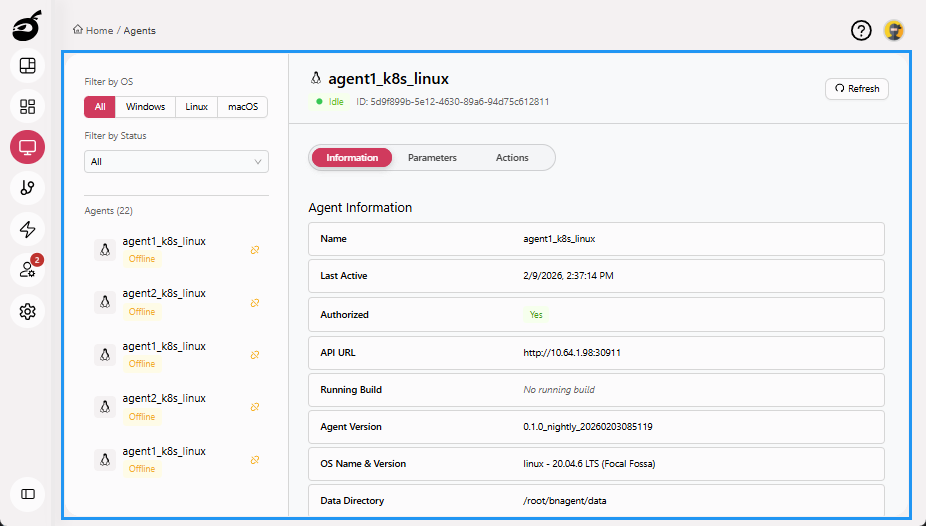
Agents  provides visibility and control over the resources that execute builds and deployments. It helps you monitor, register, and manage agents efficiently. Within Agents, you can:
- View a list of all registered agents along with their status
- See key details such as agent name, platform, assigned labels, and current task
- Filter agents based on OS or status
- Enable, disable, refresh, reset, or delete agents
Agent Tabs
The following tabs are available to help you interact with agents:
-
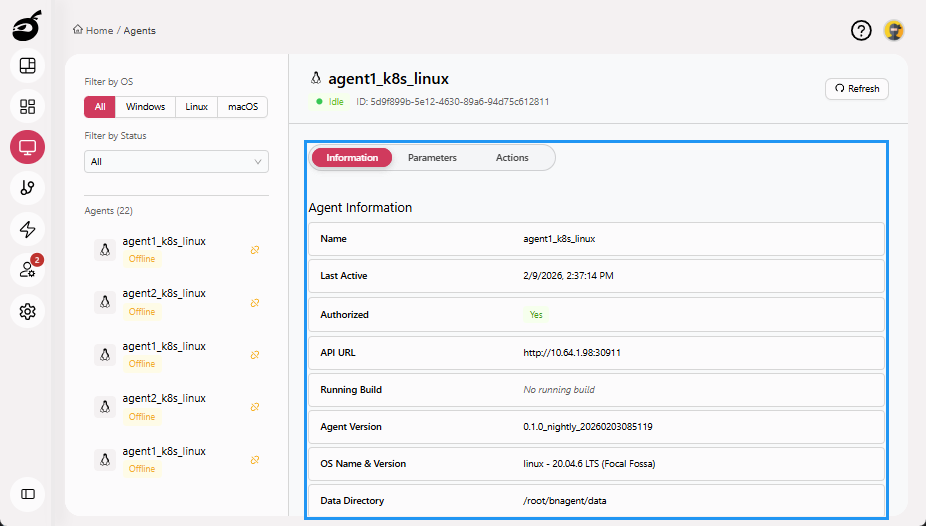
Information: Displays core agent details.
-
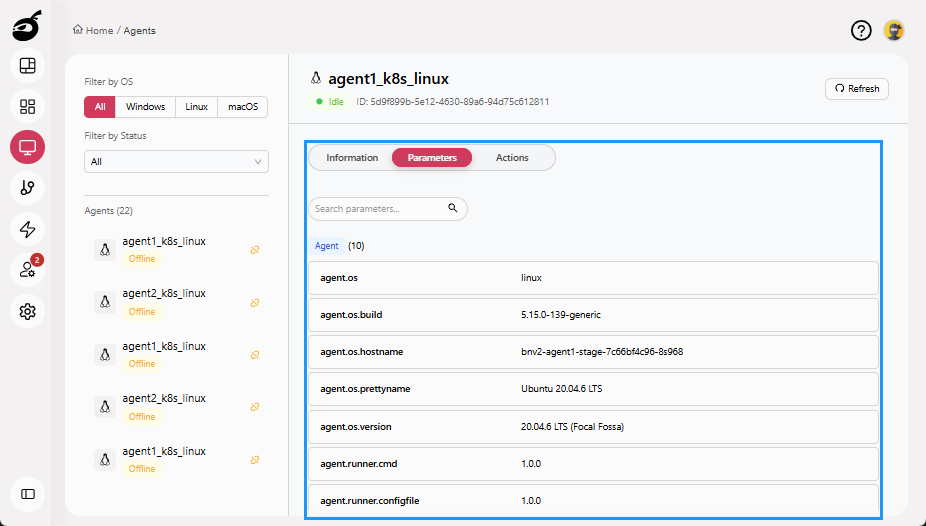
Parameters: Shows environment variables associated with the agent.
-
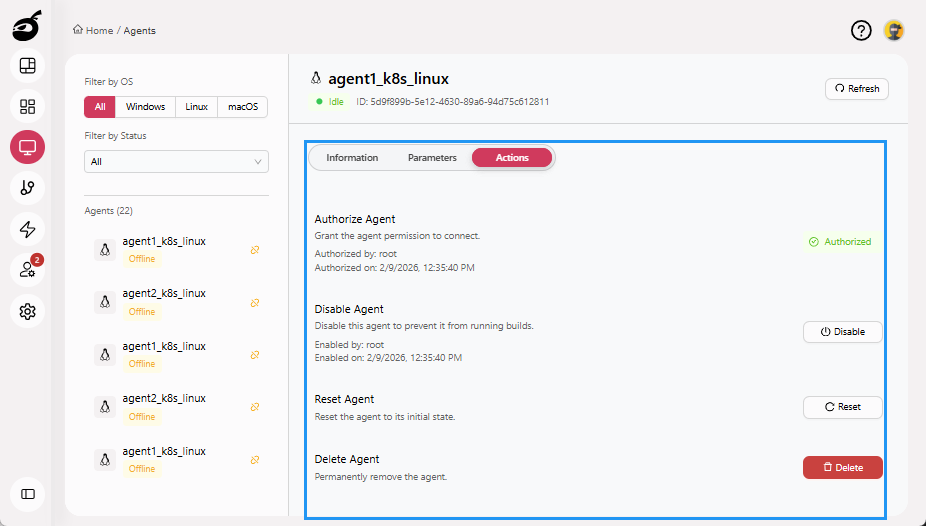
Actions: Provides controls to manage the agent, including authorizing, enabling or disabling, resetting, and deleting.